How To Read These 2020 Extrusion Diagrams
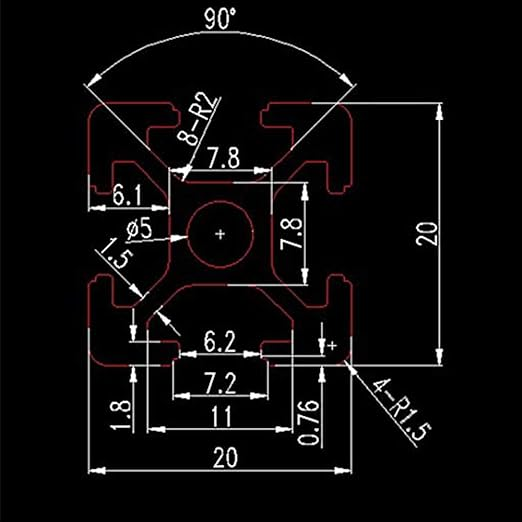
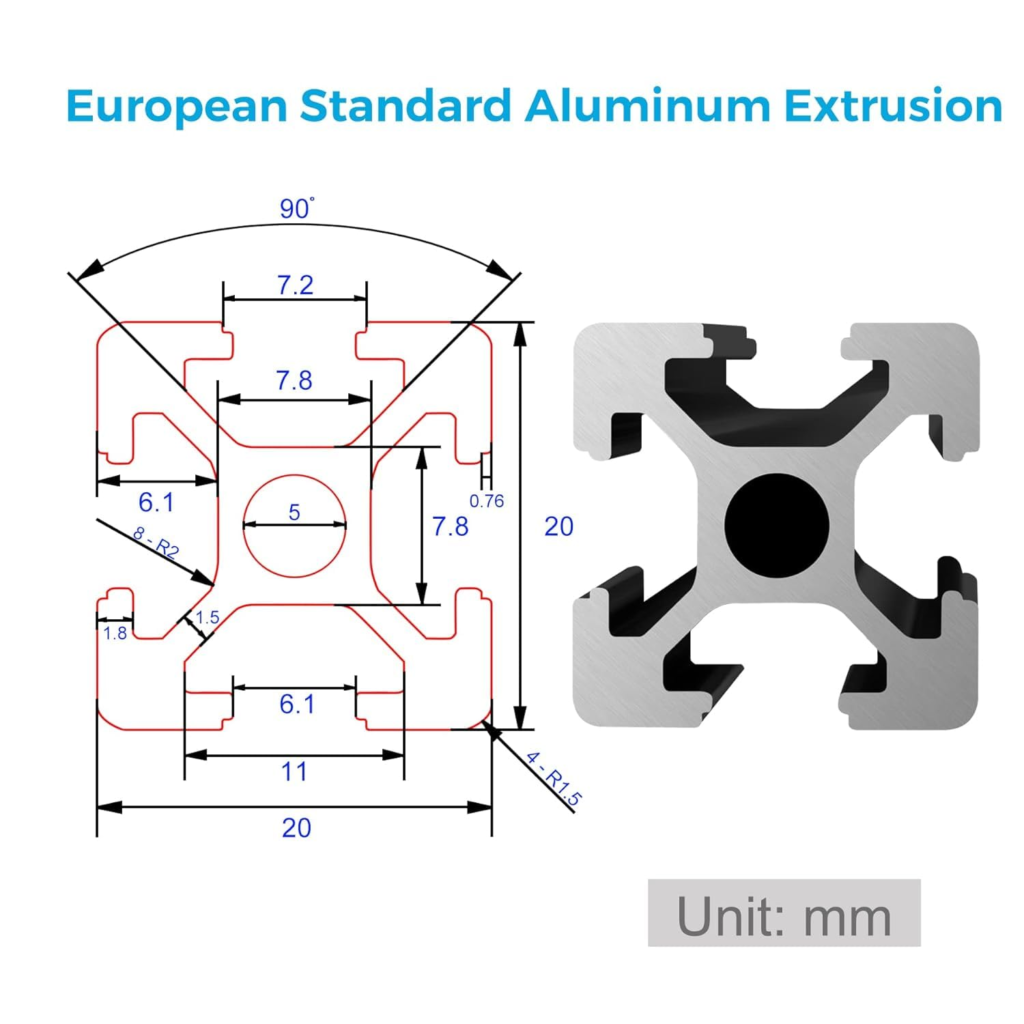
The two archived drawings below show a square extrusion cross-section. The second image explicitly states that its units are millimetres. Both label the overall width and height as 20, so the illustrated outside envelope is 20 × 20 mm. That identifies the envelope shown in these references.
Read the outside envelope, slot details and centre hole as separate measurements. A cabinet model can have the correct outside dimensions while its chosen fasteners or panel inserts still require a different profile detail.
Dimensions Visible In The References
| Feature | What the images show | What to confirm |
|---|---|---|
| Outside envelope | 20 × 20; the second drawing states mm | Actual supplier part number and units |
| Centre hole | A diameter label of 5 | Supplier machining and fastening requirements |
| Slot details | Several distinct dimensions, including 7.8 and 7.2 | Which feature each arrow measures |
| Small internal features | The drawings include both 6.1 and 6.2 labels | Use the drawing for the exact profile being purchased |
Check The Profile Before Finalizing A Model
- Save the supplier drawing and exact profile identifier with the project.
- Confirm the outside dimensions separately from the slot opening, internal cavity and centre hole.
- Check the intended nuts, brackets and panel-retention parts against that same profile family.
- Record unresolved differences instead of rounding them away in the model.
Use them to identify questions for the supplier and to keep layout assumptions visible.
Continue with rounded cabinet-edge profiles and the interior framing reference gallery.
Reference guide expanded October 20, 2026. Original publication date and archived references retained.