My Van Roof Camera Brackets: Extrusion, Holes and Hardware
My roof camera brackets took shape over two recorded work sessions: six hours on Day 96 and eight hours on Day 97. The work involved aluminum extrusion, small drilled brackets, awkward T-nut positioning and a second pass at the camera's attachment points. Both diary entries ended with the project still in progress.
I was making a mount for the passenger-side security camera on my Ford Transit. The photographs show a rectangular extrusion assembly above the roof rack, with a black camera and a small LED light positioned inside it. Getting those pieces together meant working through the joints and hardware one connection at a time.
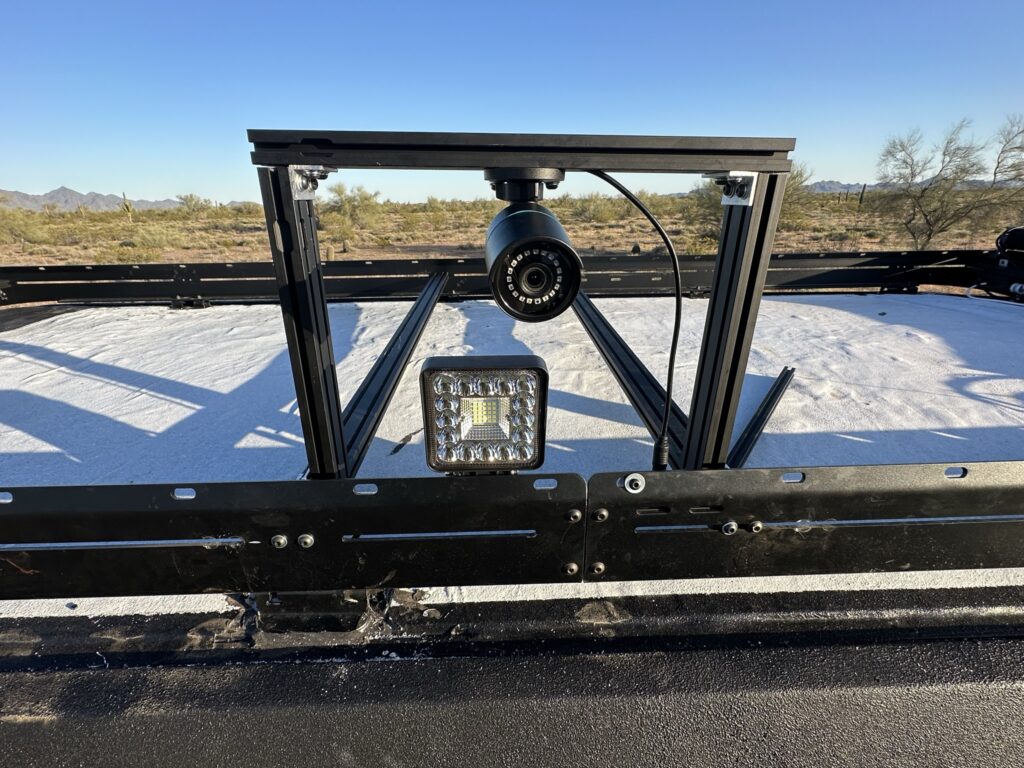
What Changed Across Days 96 And 97
The Day 96 diary records making angle-aluminum brackets, drilling their holes, joining the extrusion and mounting the camera. The Day 97 diary continues with the drill press, larger corner-bracket holes, added brackets on the existing mount and parts for the remaining mounts.
| Session | Recorded Work | Stage At The End |
|---|---|---|
| Day 96 · 6 hours | Fabricate and drill angle brackets, join extrusion, mount the passenger-side camera | Not complete; more small-light and camera mounting planned |
| Day 97 · 8 hours | Assemble the drill press, enlarge bracket holes, add attachment pieces and prepare more mount parts | Not complete; more conduit and wire routing planned next |
That is 14 hours across the two entries, including tool setup and preparation for additional mounts. The record gives the fitting work its own place in the roof project, from loose parts through the added attachment pieces.
Making The Extrusion Joints With Aluminum Angle
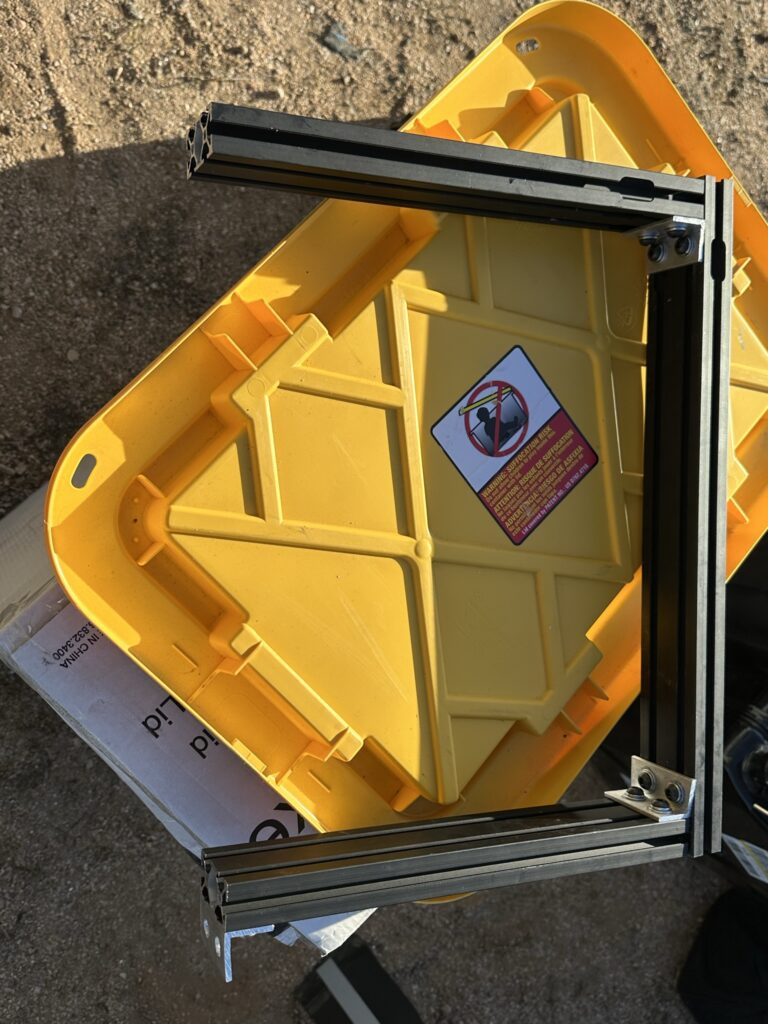
My first steps were to fabricate angle-aluminum brackets to join the extrusion, then drill the holes and attach the pieces together. The loose bracket photograph shows the two faces of the angle and the drilled holes. The joint close-up shows how one of those small connecting pieces sits inside the extrusion corner.
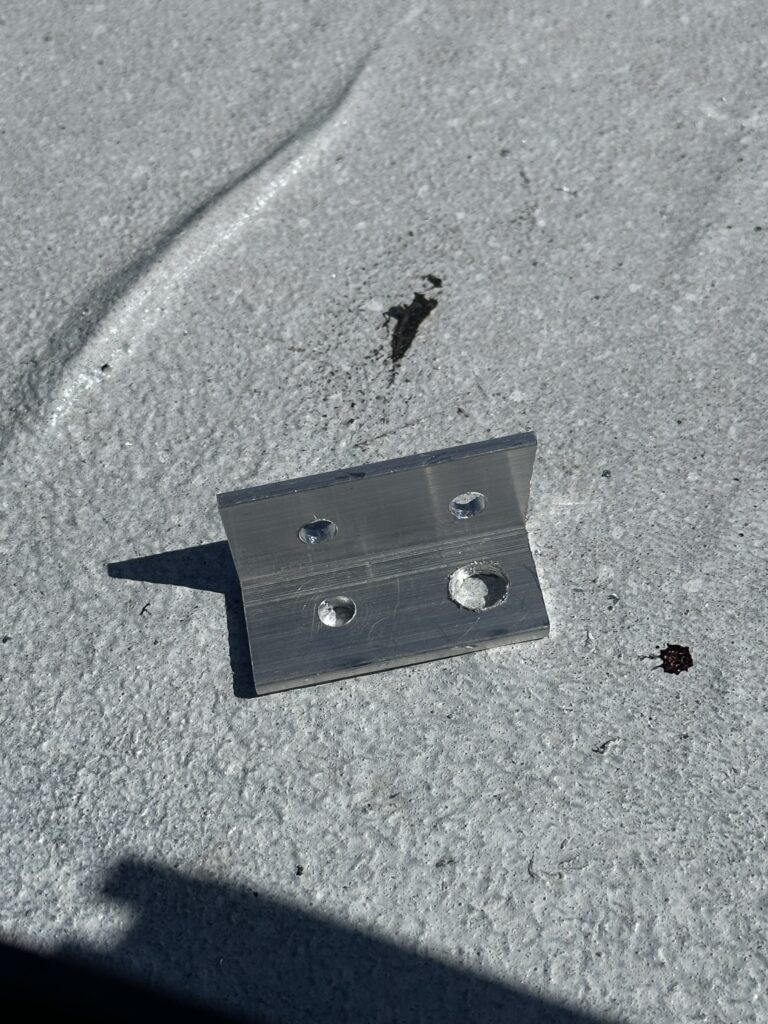
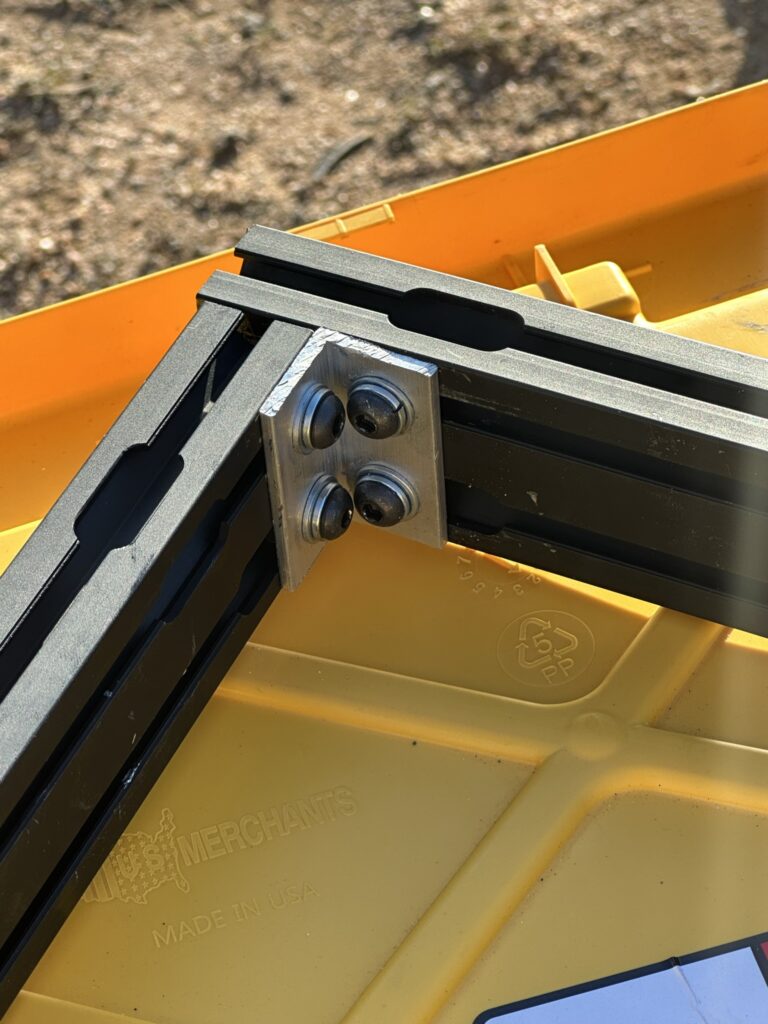
Blulu aluminum angle stock appears in the materials for both days and in my purchase catalog. Its right-angled shape made it the stock for the connecting brackets described in the diary. Cutting the stock, making the holes and assembling the joint were separate tasks.
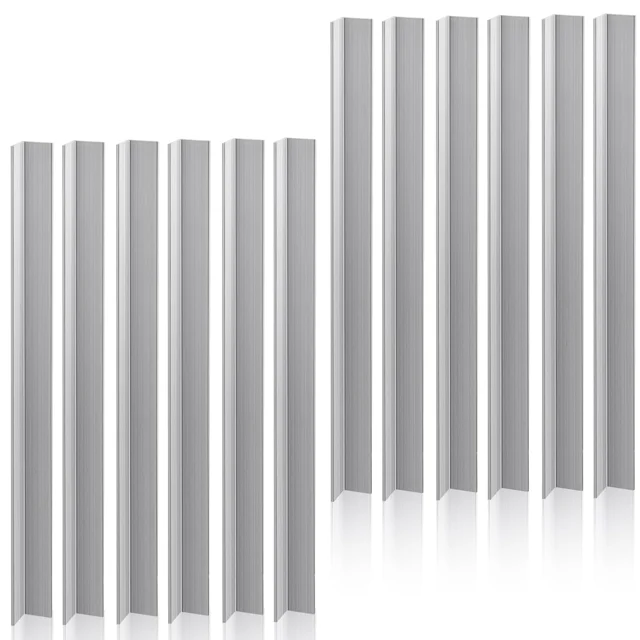
Blulu Aluminum Angle Stock
These aluminum-angle sections provide right-angled stock for fabrication. They can be cut and drilled into small custom brackets and connecting pieces.
View On AmazonThe flat-bar stock record also appears in the Day 97 materials. Angle stock and flat stock have different shapes; keeping those entries separate helps connect a photographed piece to the part of the assembly it belongs to.
Where The T-Nuts And Bolt Lengths Took Time
My Day 96 note was specific about the slow part: positioning the small T-nuts and getting the screws into them. Working with the extrusion was time-consuming because those small pieces had to be placed and engaged while the assembly was coming together.
I also wrote that I was buying shorter quarter-twenty bolts so I would not have to grind every one down to fit. That was my next-step purchasing plan at the end of Day 96. It records the bolt-length problem that I had encountered during fitting.
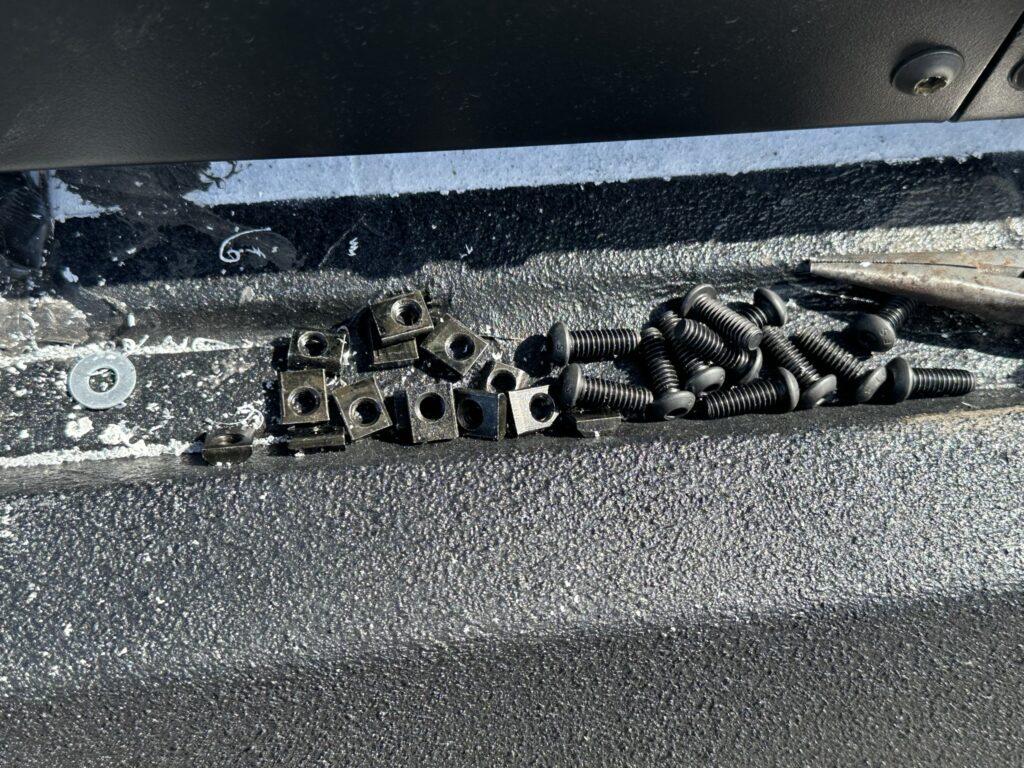
The related slide-in T-nut and button-head bolt pages keep those hardware records together. For a fitting record, I would give each joint its own row and record the actual bolt length beside the bracket thickness and attachment position. That makes a later adjustment easier to trace.
The Drill Press And The Next Round Of Brackets
At the end of Day 96, I planned to bring out my drill press to speed up drilling the small aluminum brackets. Day 97 starts with unboxing and assembling the WEN drill press, followed by drilling larger holes in the exterior extrusion corner brackets.
I then attached corner brackets to an existing camera mount. I also made and attached a separate bracket for the camera's front mounting hole. Those changes show why the first assembled frame was still a fitting stage: the existing mount received more attachment work the following day.
The rest of that session involved measuring, cutting and drilling aluminum brackets for the remaining camera mounts, then measuring and cutting their extrusion. My notes document the change in work setup and the additional parts prepared that day.
Connecting The Camera Base To The Custom Frame
The camera in this project was the black REOLINK RLC-510A listed in my materials. The custom work around it was the extrusion frame and its drilled attachment pieces. My REOLINK camera item page brings together the camera record, current product options and the later mounting photographs.
Reolink's bullet-camera installation reference includes the RLC-510A and uses a mounting-hole template for the base. That is a useful separate reference when identifying the camera's own mounting pattern. My Day 97 contribution was the added bracket for the front hole on my custom assembly.
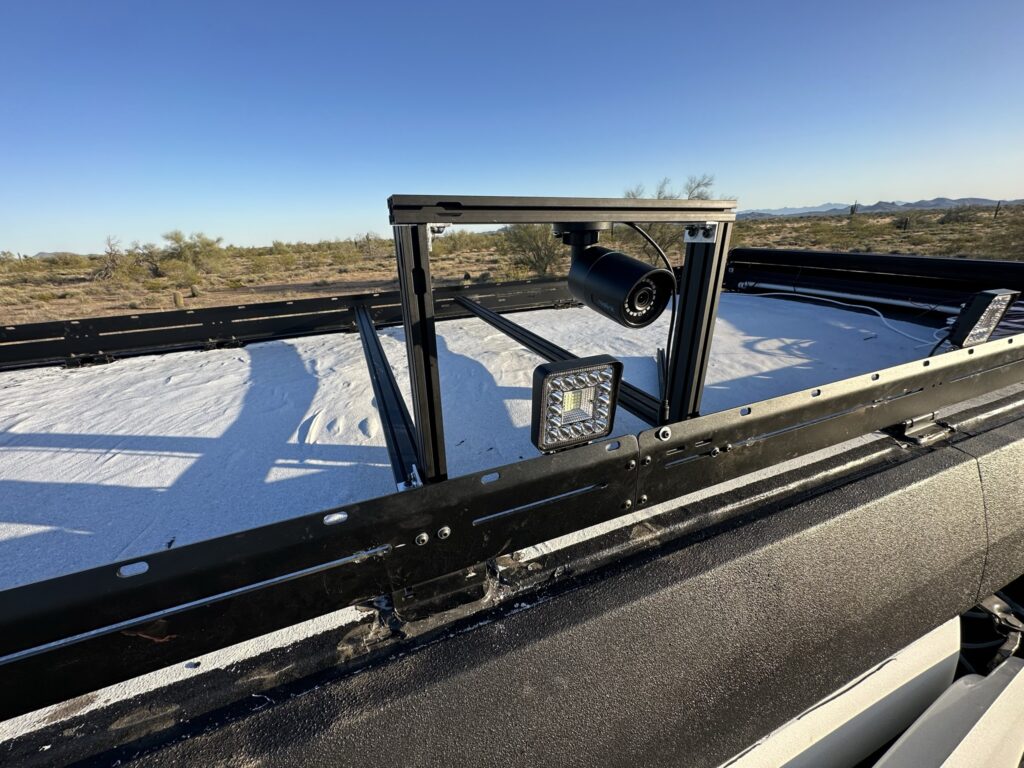
The cable is visible in these fitting photographs. At the end of Day 97, my next-day plan was to install more PVC conduit and run the LED-light and camera wires through it. The mechanical mounting work and that wider wiring route had their own sequence in the build.
Keep A Record Of Each Joint And Remaining Task
Download The Camera-Bracket Fitting RecordThe blank CSV provides rows for the rack connection, extrusion corners, camera attachment points, light mount and cable path. It has space for stock shape, hole position, hardware, bolt length, photo reference, fitting result and the next change.
For my project, the useful distinctions were the loose bracket, the assembled joint, the camera attachment and the remaining work. Photographing each of those views keeps a small part from becoming an unidentified piece in a pile of bolts. The record can also distinguish a planned change from one already fitted.
My main takeaway from Days 96–97 is how much of a custom mount happens between cutting the first piece and finishing all the connections. The angle brackets, T-nuts, bolt lengths and front camera attachment each needed attention. Continue to Day 98 for the next stage, or use my roof-layout planning guide to see how the fan, solar panels, rack and cable routes fit into the wider roof project.