My Roof Cable Route: Junction Boxes, Labels and Fish Tape
After making the roof light and camera mounts, I worked on the route for their cables: junction boxes around the rack, PVC between the boxes and a larger box where the leads entered the van. Days 100–104 record how that route came together, including wire labeling, the roof opening, fish-tape pulling and the final covers.
This guide follows the light and camera cable work documented in four sessions. The first three entries each record eight hours; Day 104 records twelve. Those 36 recorded hours include box preparation, conduit fitting, wire work and finishing. My Day 104 status marked this conduit-and-wire-routing project finished.
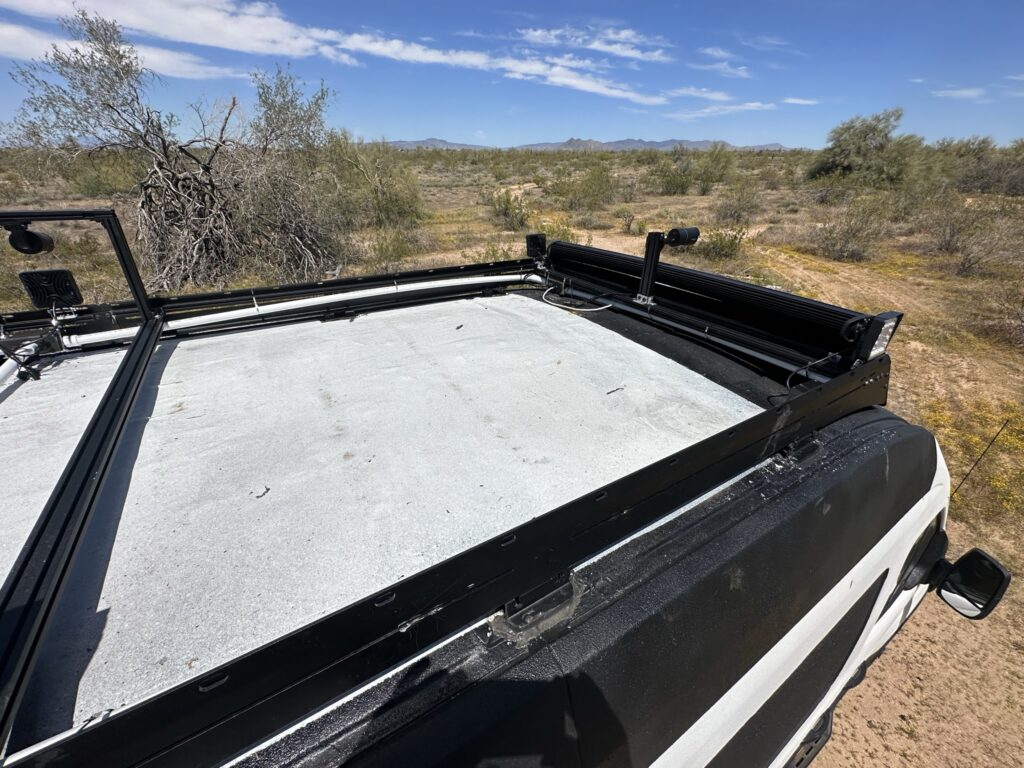
Building A Route Around The Existing Mounts
The rack, lights and camera mounts were already part of the roof work when I continued the cable route. My Day 95 fitting guide follows the added extrusion and small-light plates; the Days 96–97 camera-bracket guide follows the custom mounts. The later cable work connected those scattered equipment positions to a route into the van.
In my Day 100 notes, I described designing the PVC route in SketchUp. The work record then breaks the physical job into individual boxes and pipe sections. A front box, a middle box and the larger entry box each appear as separate tasks, with holes, glands and connectors added along the way.
| Entry | Time | Recorded Progress |
|---|---|---|
| Day 100 | 8 hours | Driver-side boxes, glands and conduit; the larger box and opening through the roof |
| Day 101 | 8 hours | Passenger-front box, pipe to the larger box, wire labeling and routing into the van |
| Day 103 | 8 hours | Camera Ethernet entry, more box connections and driver-side leads routed across to the entry |
| Day 104 | 12 hours | Entry trim, fish-tape pulling, remaining connections, covers and metal ties |
Working Through The Boxes And Cable Glands
On Day 100, I drilled the driver-front junction box for light-wire entries, installed a gland and ran the light wires through it. I also worked on the middle driver-side box, adding mounting bars, PVC connectors and glands. The conduit was attached to the extrusion with metal ties.
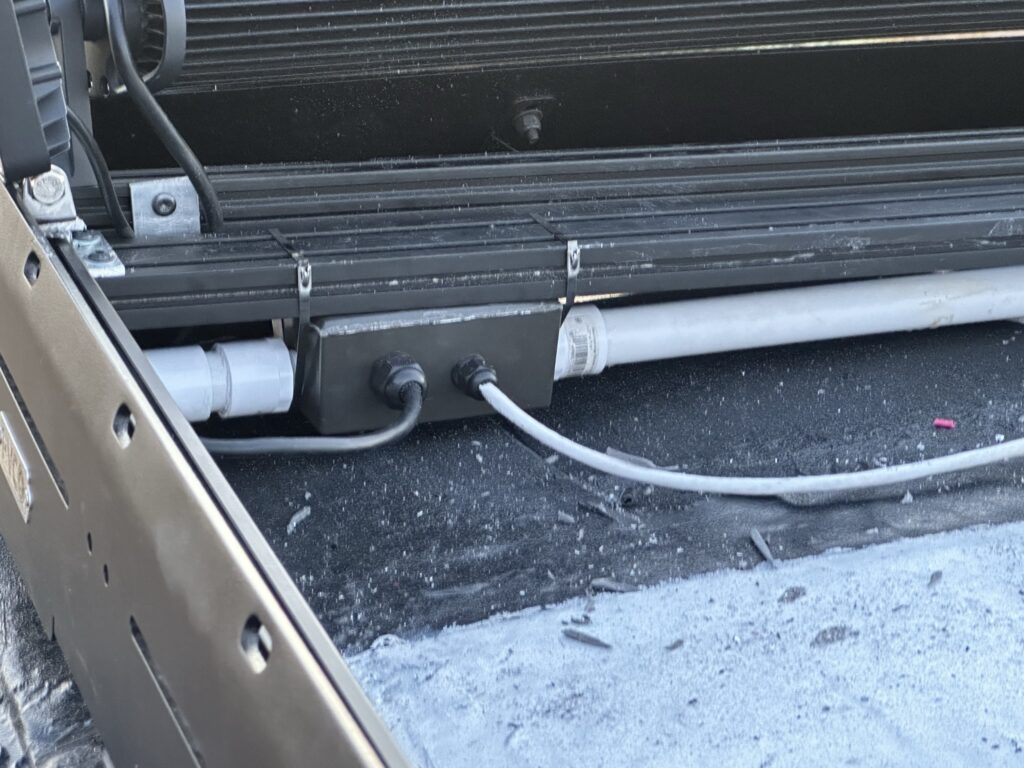
The MAKERELE gland kit appears in the materials for the routing work and in my purchase catalog. The individual glands are part of the transition from a loose equipment lead into a box. The pipe connections then carry the route onward.
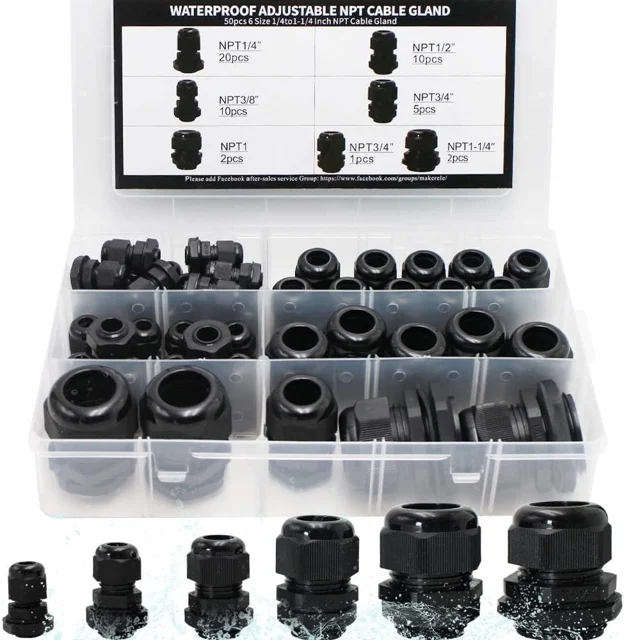
MAKERELE NPT Cable Glands
These cable glands seal and grip compatible cables at enclosure entries. They can provide strain relief where van wiring enters project boxes.
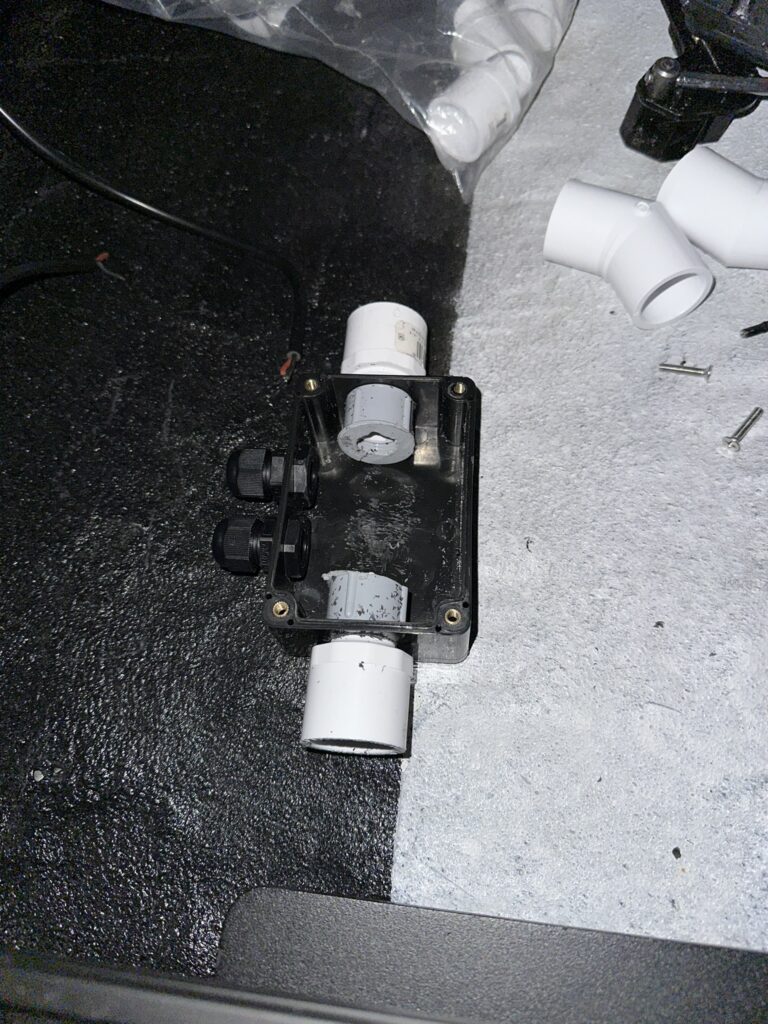
View On AmazonDay 101 continued at the passenger-front box. I drilled its openings, installed threaded PVC connectors and a wire gland, and cut the pipe running toward the larger junction box. The component photograph shows the box with connectors and glands before the rest of that section came together.
Bringing The Route Into The Van
The larger box was the meeting point for the roof-to-interior route. Day 100 records making the opening through the roof and the box, followed by primer and white paint around the cut area. Later entries record running the leads through the box and down into the cargo area.
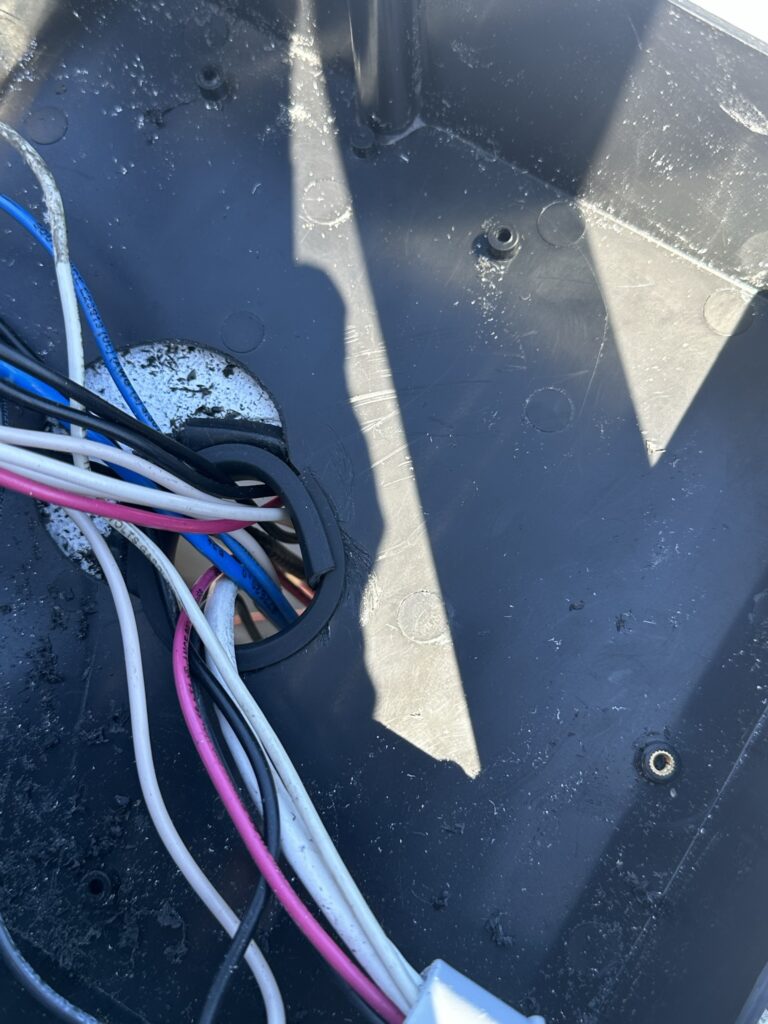
The Day 103 photograph shows wires passing through the larger box and the roof opening. The interior photograph from Day 104 shows the other side of that route, with the leads hanging into the van. Together, they connect the outside box to the actual inside location.
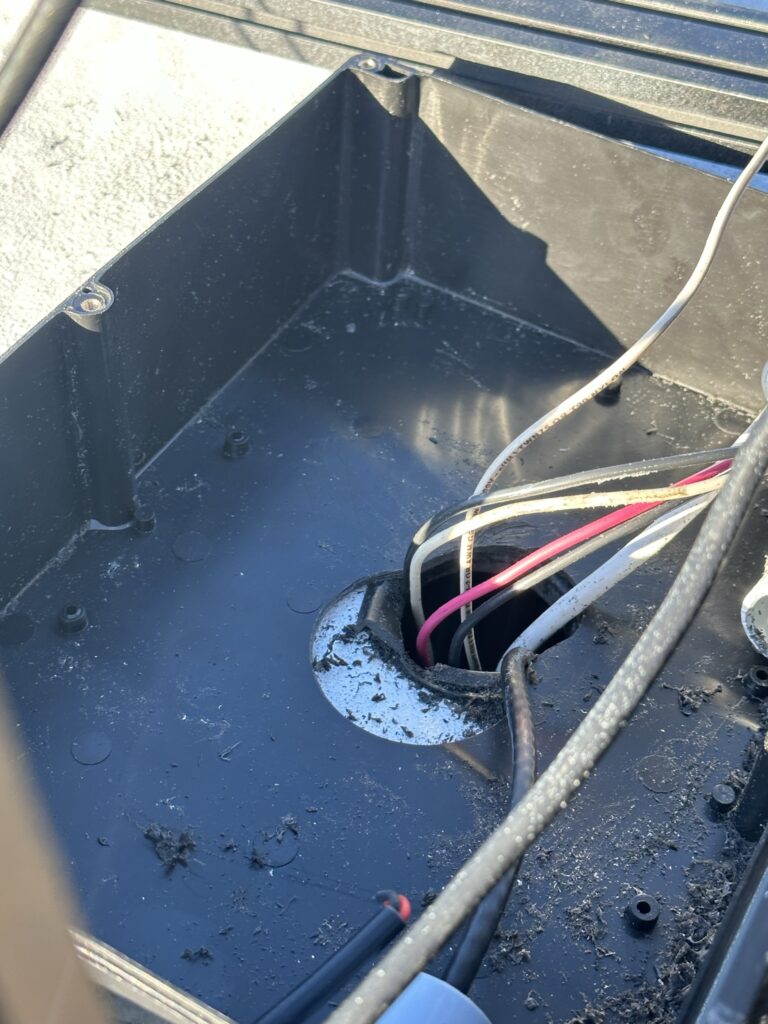
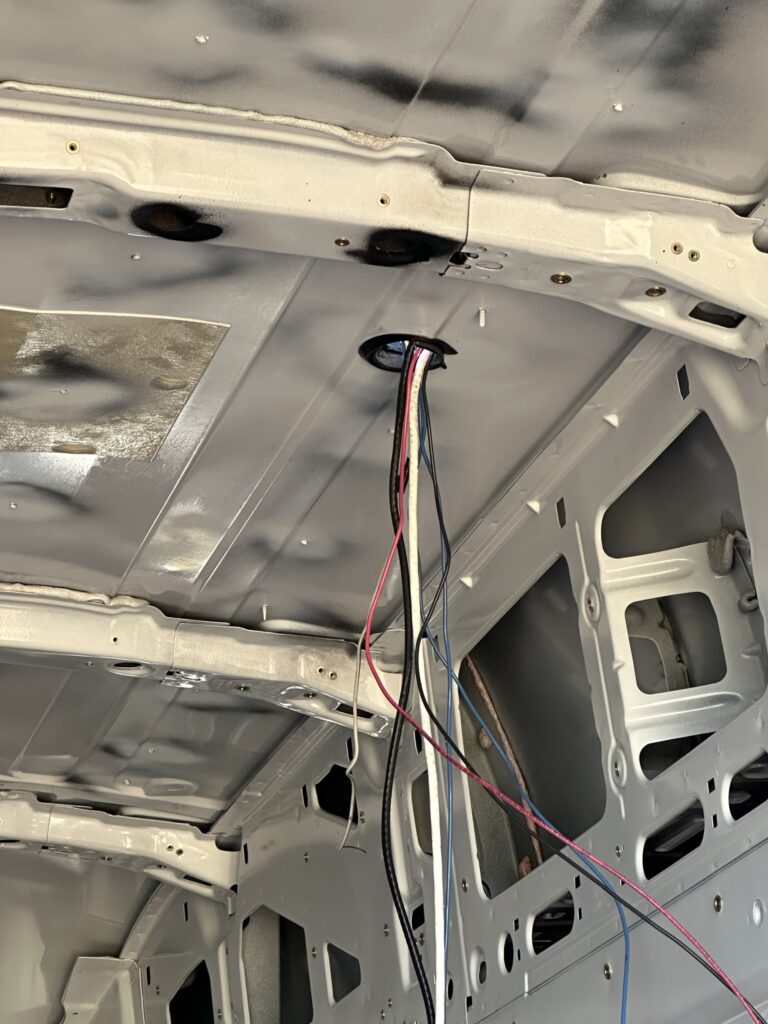
My Otdorpatio large-box record is part of the materials context for these entries. The photographs show the openings and cable arrangement made during my project.
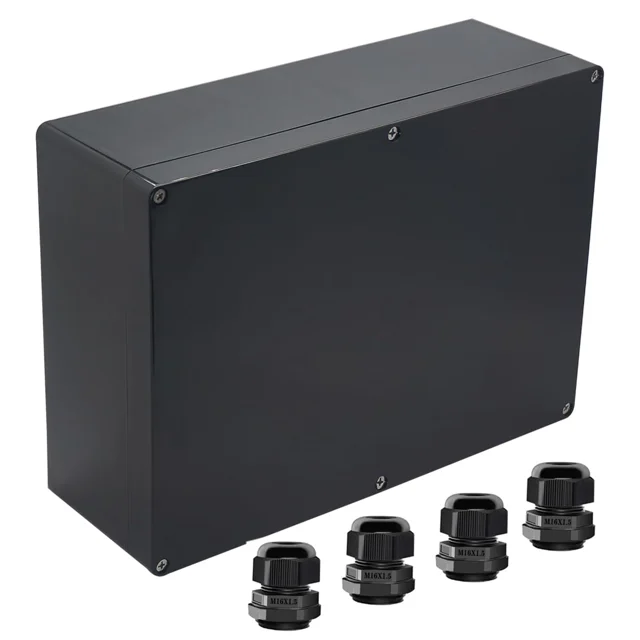
Otdorpatio Large Project Junction Box
This ABS project box provides an enclosure for components and cable connections. Its removable lid gives access while entries are arranged around the box.
View On AmazonLabeling A Lead And Using Fish Tape
Day 101 includes a small but useful identification step: I used a label maker to label a wire running into the van. That entry sits between preparing the route and carrying out the wire work. It gives the identification task its own place in the sequence.
On Day 103, I recorded running the camera's Ethernet cable through a gland into a PVC tee connection. I also brought the driver-side wires across to the larger box and down into the van. The route involved several entry points before reaching the interior.
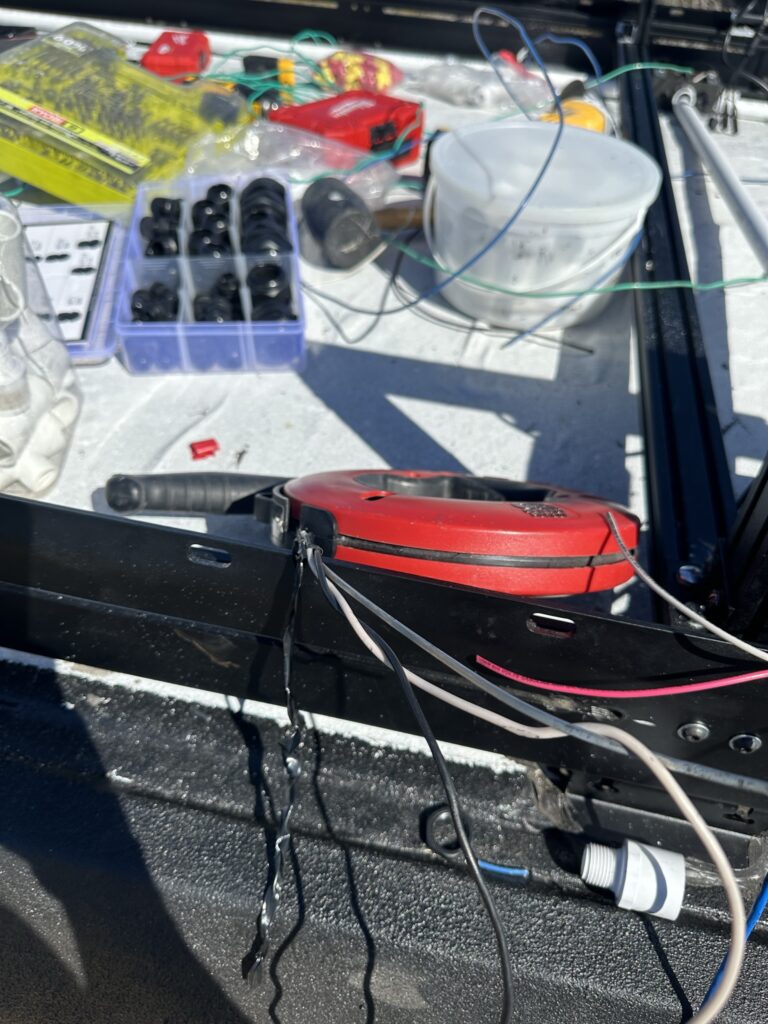
Day 104 records using a fish-tape wire puller to run wires through the PVC system. The photograph shows the reel and the surrounding work area while the roof work was still underway. The diary identifies the tool's job in that session.
The Entry Trim And Final Covers
My Day 104 steps include installing plastic trim around the opening into the van. The close-up records that detail at the point where the leads pass through. It is a later view than the earlier opening photograph, so the two images preserve different stages of the entry work.
I also recorded adding a gland for the passenger-side camera, connecting the remaining PVC sections, covering the junction boxes, cementing the remaining PVC connections and tightening metal ties around the route. The final wide roof photographs belong to that closing stage.
The useful takeaway from this part of my build is the sequence between a mounted device and a routed lead inside the van. I prepared individual boxes, connected the route, labeled a lead, pulled the wires and returned to the entry trim and covers. The diary photographs make those stages easier to follow than a finished-roof picture alone.
For the broader equipment arrangement, my roof-planning guide puts the fan, rack, panels and cable routes on one plan. The electrical-system page follows the build's components and connections, while the PVC fittings guide covers fitting shapes and selection terms.